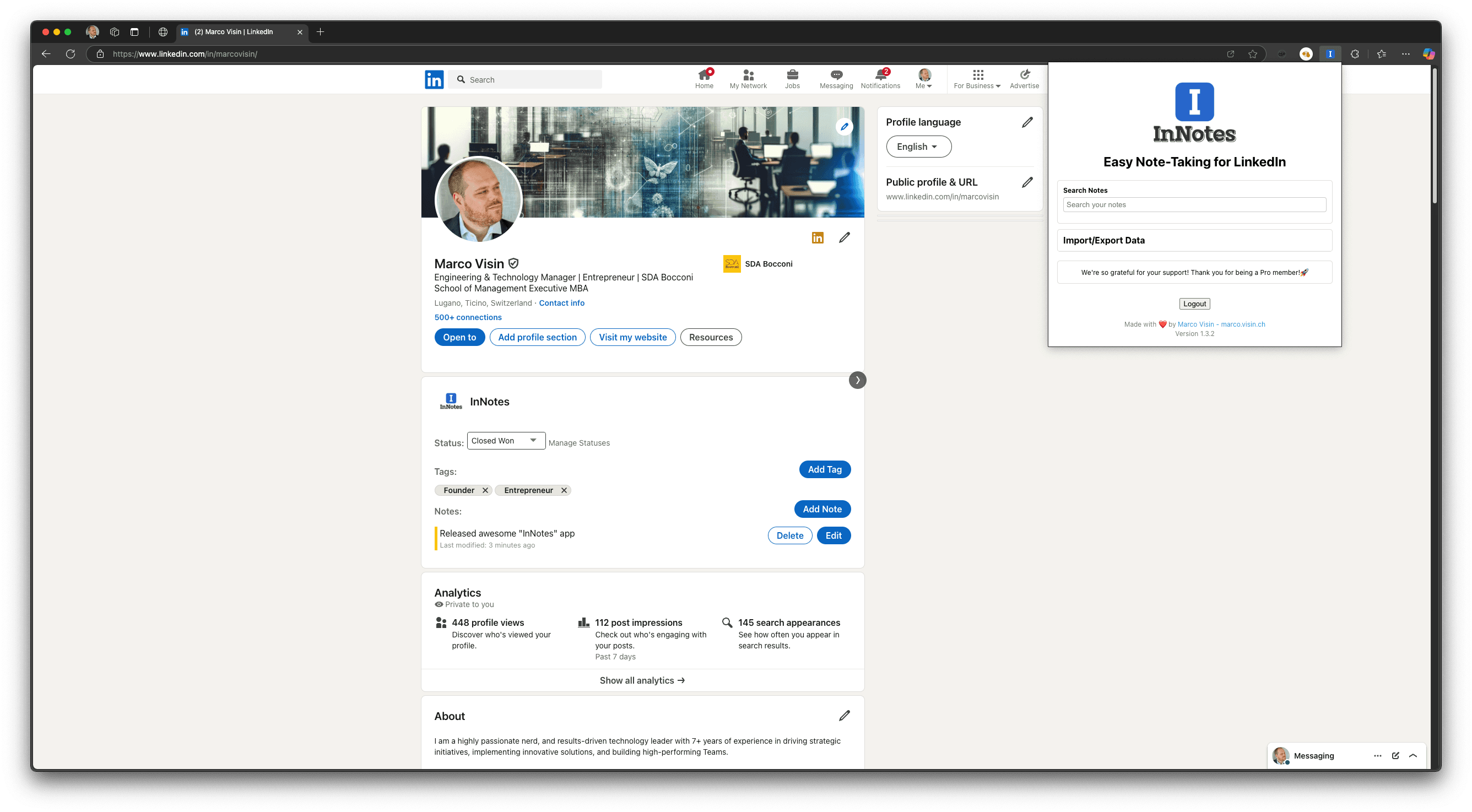
Features
Private Notes
Take detailed notes on any LinkedIn profile. Only visible to you, always at your fingertips.
Job Application Tracking
Track your job applications, statuses, and notes in one place.
Smart Tagging
Organize your contacts with custom tags for easy filtering and searching.
Share Notes With Your Team
Share a note with a colleague or a whole group, read-only or editable. People who are not on InNotes yet get an email invite. AI memories always stay private.
AI Memory & MCP
Connect Claude, Cursor or any MCP client. Your AI remembers what matters about each contact and recalls it when you need it.
How AI memory works ↓n8n Integration
Seamlessly integrate with n8n to automate workflows and connect your data with hundreds of services.
Learn more about n8nQuick Search
Find contacts, notes, and jobs instantly with powerful search.
Connect Claude or ChatGPT to your LinkedIn CRM
InNotes runs a remote MCP server. Add it once to your AI assistant and it can read and write your LinkedIn contacts, notes and job applications — and remember what matters about the people in your network.
MCP endpoint:https://innotes.me/api/mcp
What is an AI memory?
An AI memory is a short, private statement your assistant stores about one contact — you never type it yourself. InNotes keeps six kinds: fact, preference, relationship event, commitment, context and time-bound. A time-bound memory carries an expiry date; once it passes, your AI still recalls the memory but flags it as unconfirmed instead of repeating it as current.
How does semantic recall work?
Ask in plain language — "who do I know in fintech who sails?" — and InNotes matches your memories by meaning rather than by keyword, ranking them by similarity. Recall can be scoped to a single contact or run across your whole network.
What can your AI do with InNotes?
The MCP server exposes 34 tools in six groups:
- • Contacts — list, search, create, update and delete LinkedIn contacts.
- • Notes — read, write, update and search your private contact notes.
- • Jobs — track job applications with their statuses and tags.
- • Memories — remember, recall, list, update and delete AI memories.
- • Statuses and tags — read the custom statuses and tags you organise everything with.
- • LinkedIn — live people and company search, messages and notifications, once your LinkedIn session is connected.
Which AI assistants can connect?
Any assistant that supports custom MCP servers. Claude signs in with OAuth — no token to copy and paste; the others connect over Streamable HTTP with an InNotes API token.
- Claude — web and desktop — custom connector, OAuth sign-in
- Claude Code — terminal and IDE — API token
- ChatGPT — custom MCP connector — API token
- Cursor — editor MCP settings — API token
Where MCP connectors live, and whether they are available at all, varies by client and plan.
Analytics & Insights
Understand your network and job search performance with detailed analytics.
Network Growth
- • Track how your network expands over time.
- • See new connections and trends.
- • Identify key growth periods.
Interaction Analytics
- • Monitor engagement rates.
- • Analyze your network activity.
- • Identify key relationships.
Job Search Insights
- • Application success rates.
- • Interview conversion tracking.
- • More job search metrics.
Industry Insights
- • See which industries you connect with most.
- • Analyze sector trends.
- • Spot new opportunities.
Activity Overview
- • Track your daily and weekly activity.
- • See your most active periods.
- • Identify engagement spikes.
Custom Reports
- • Create reports tailored to your needs.
- • Export data for further analysis.
- • Share insights with your team.
Download the Extension
Available for Chrome, Firefox, and Edge. Start using InNotes today!
Frequently Asked Questions
InNotes
InNotes is the easiest way to take private notes and manage your professional network on LinkedIn.
Made with ❤️ by Marco Visin
© 2026 InNotes. All rights reserved.